- Guides
How to Use AI Agents to Scale Your Content Strategy
Learn how AI agent content creation helps you scale smarter — automate research, writing & publishing with Free WordPress MCP.

WebSensePro
Developer
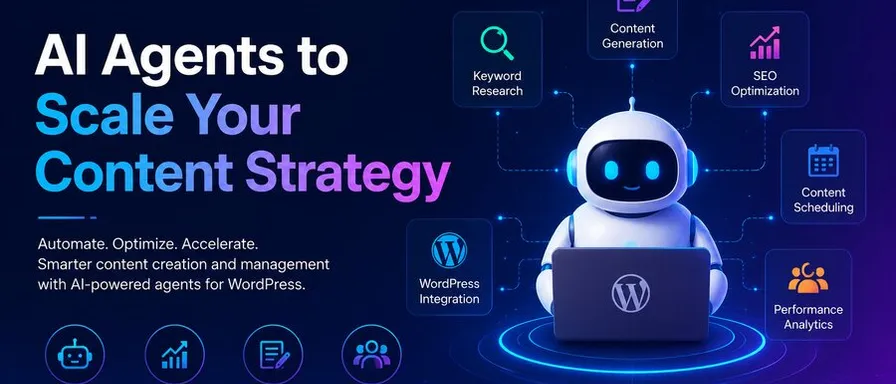
If you’ve been trying to grow your blog, build a content brand, or keep up with the relentless demand for fresh posts — you already know the struggle. Writing takes time. Research takes time. Optimizing, publishing, promoting — all of it eats into your day before you’ve even started on tomorrow’s piece.
That’s exactly why so many creators and marketers are turning to AI agent content creation as a serious growth strategy. Not just AI writing tools that spit out a draft, but actual AI agents — systems that can plan, research, write, optimize, and even publish content on your behalf.
In this post, I’m going to break down exactly how to use AI agents to scale your content strategy — even if you’re running a solo blog or a small team with limited bandwidth.
What Is an AI Agent (and How Is It Different from ChatGPT)?
Before we dive into strategy, let’s clear something up.
Most people are familiar with AI tools like ChatGPT — you type a prompt, it gives you a response. That’s a single-turn interaction. It’s useful, but it’s not the same as an AI agent.
An AI agent is a system that can:
- Break a goal down into steps
- Execute those steps autonomously
- Use tools (like web search, a CMS, or an API) to complete tasks
- Adapt based on what it finds along the way
Think of the difference like this: a regular AI tool is like a calculator — you press buttons and get an answer. An AI agent is more like a junior team member — you give them a goal, and they figure out how to get it done.
For content creators, this is a game-changer.
Why AI Agent Content Creation Is the Next Big Shift
Here’s the honest truth: creating quality content at scale is hard. Most solopreneurs and small business owners either burn out trying to keep up, or they sacrifice quality to hit volume. Neither is sustainable.
AI agent content creation changes that equation. Here’s why it matters right now:
1. Speed without sacrificing depth. An AI agent can research a topic, outline an article, draft it, and flag gaps — in the time it would take you to finish your morning coffee.
2. Consistency at scale. Agents don’t have off days. They follow your content guidelines, maintain your brand voice, and produce work at the same standard every time.
3. Multi-channel publishing. A well-configured agent can take one piece of content and repurpose it for your blog, social media captions, an email newsletter, and even meta descriptions — automatically.
4. SEO built in. Agents can be instructed to research keywords, check competitor content, and optimize every piece before it goes live.
How to Use AI Agents to Scale Your Content Strategy
Define Your Content Goals
Before you build or configure any AI agent, you need clarity on what you’re trying to achieve. Ask yourself:
- How many pieces of content do I want to publish per week?
- What topics or keywords am I targeting?
- Who is my audience, and what problems am I solving for them?
- Which platforms am I publishing on?
Your answers will determine how you set up your agent workflows. An AI agent is only as good as the instructions it receives, so the more specific you are upfront, the better your output.
Choose the Right AI Agent Stack
There are a few ways to get started with AI agent content creation depending on your technical comfort level:
For non-technical users: Platforms like Zapier, Make (formerly Integromat), and newer no-code AI agent builders let you chain together AI actions without writing a line of code.
For WordPress users: This is where tools like Free WordPress MCP become incredibly valuable. MCP (Model Context Protocol) integrations allow AI agents to directly interact with your WordPress site — reading your existing content, creating new posts, updating metadata, and publishing drafts — all without you lifting a finger.
For developers: You can build custom agents using frameworks like LangChain or AutoGen, connecting them to APIs, databases, and your CMS of choice.
Set Up Your Content Workflow
A solid AI agent content workflow typically looks something like this:
Research → Outline → Draft → Optimize → Publish → Repurpose
Here’s how each stage can be handled by an agent:
- Research: The agent searches the web for the latest information, top-ranking articles, and relevant statistics on your target keyword.
- Outline: Based on what it finds, it structures a logical, SEO-friendly article outline — introduction, main sections, FAQs, conclusion.
- Draft: The agent writes a full first draft following your brand voice and guidelines.
- Optimize: It checks for keyword density, readability score, internal linking opportunities, and meta description.
- Publish: Using a WordPress MCP integration, it can push the article directly to your CMS as a draft or scheduled post.
- Repurpose: It then generates a social media post, email snippet, or short-form version of the content for distribution.
This entire pipeline — which might take a human writer 4–6 hours — can be completed in minutes.
Train the Agent on Your Brand Voice
One of the most common fears about AI content is that it sounds generic. The solution is simple: you need to train your agent with clear instructions about your voice, tone, and style.
Create a brand voice document that covers:
- Your writing style (conversational, authoritative, humorous, etc.)
- Words and phrases you always use — or never use
- Your target audience’s vocabulary and knowledge level
- Examples of your best-performing past articles
Feed this into your agent’s system prompt or configuration, and you’ll notice an immediate improvement in how naturally the output reads.
Use a WordPress MCP for Seamless Publishing
If you’re running a WordPress blog, integrating an MCP (Model Context Protocol) server changes everything about how you publish.
Free WordPress MCP makes it possible for AI agents to interact directly with your WordPress installation. That means your agent can:
- Access your existing posts to avoid duplicate content
- Pull in your categories and tags for consistent taxonomy
- Upload and attach featured images
- Set publish dates and scheduling
- Apply your SEO plugin settings (like Yoast or RankMath)
Instead of copying and pasting AI-generated content into your dashboard — which is tedious and error-prone — the agent does the heavy lifting, and you’re left to review and approve. That’s a workflow that actually scales.
Build a Review and Quality Control Process
Scaling content doesn’t mean publishing raw AI output without oversight. The most successful AI-assisted content creators treat the agent as a first-draft machine and themselves as the editor.
Build a simple QC checklist:
- Does the article match my brand voice?
- Are all facts accurate and properly sourced?
- Is the keyword used naturally throughout?
- Are there any repetitive sentences or filler phrases?
- Does the conclusion include a clear call to action?
With practice, reviewing an AI-drafted article takes 15–20 minutes versus 3–4 hours to write it from scratch. That’s where the real time savings live.
Track Performance and Iterate
AI agent content creation is not a “set it and forget it” system. You need to monitor results and continuously improve.
Track metrics like:
- Organic traffic — Are your AI-assisted posts ranking on Google?
- Engagement — Are readers spending time on the page?
- Conversions — Are articles driving email signups, product clicks, or leads?
Use these insights to refine your agent’s instructions, update your keyword targeting, and improve your workflow. The best content teams using AI agents are constantly iterating — and they outpace competitors who are still doing everything manually.
Common Mistakes to Avoid with AI Agent Content Creation
Publishing without editing. Even the best AI agents make mistakes. Always review before hitting publish.
Ignoring E-E-A-T signals. Google rewards content that demonstrates Experience, Expertise, Authoritativeness, and Trustworthiness. Add personal insights, original examples, and author bios to give your AI-drafted content a human layer.
Over-automating. Not every piece of content should be fully automated. High-stakes content — like cornerstone pages, product reviews, or thought leadership pieces — deserves more human input.
Forgetting internal linking. AI agents can miss natural opportunities to link to your other content. Build internal linking into your QC checklist.
Final Thoughts
AI agent content creation is not a shortcut — it’s a system upgrade. When you combine smart automation with clear strategy and a solid review process, you can produce more high-quality content, rank for more keywords, and grow your audience faster than any solo creator could manage manually.
If you’re running a WordPress blog and haven’t explored how an MCP integration can supercharge your content pipeline, Free WordPress MCP is worth a serious look. The ability to connect AI agents directly to your WordPress backend removes one of the biggest friction points in the entire workflow — and that alone can transform how much content you’re able to put out each week.
Start small, build a workflow that fits your goals, and scale from there. Your future self (and your traffic stats) will thank you.
Ready to Connect Your AI Agent to WordPress?
Free forever. No account, no API key, no usage limits.
Download the plugin and be connected in about three minutes.