- Guides
Automate Your WordPress Workflow Using Claude MCP
Connect Claude to WordPress via MCP and automate posts, SEO, and updates — free, no coding needed with Free WordPress MCP plugin.

WebSensePro
Developer
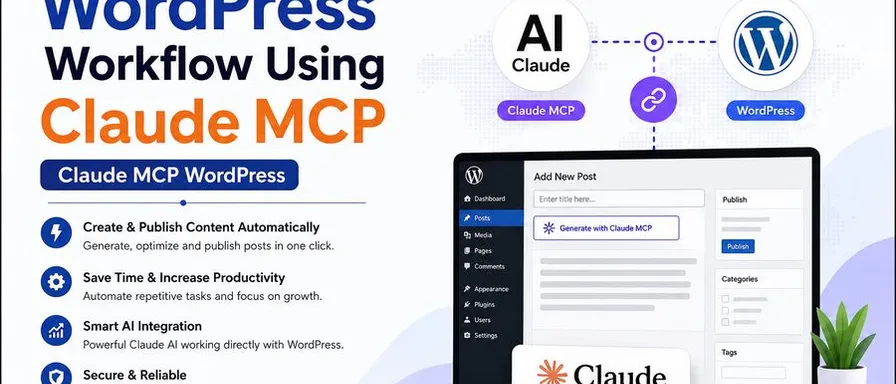
If you manage a WordPress site, you already know the drill — log into the dashboard, click through menus, copy-paste content, tweak SEO settings, update pages one by one. That’s exactly where Claude MCP WordPress integration changes the game. And if you’re looking for the easiest way to get started, Free WordPress MCP makes the setup surprisingly simple — and completely free.
What Is Claude MCP, and Why Should WordPress Users Care?
MCP stands for Model Context Protocol — an open standard developed by Anthropic that lets AI tools like Claude connect directly to external services and actually do things, not just talk about them.
Think of it this way: normally, you’d ask Claude to write a blog post, then copy it, open WordPress, paste it in, set the category, add tags, and hit publish. With Claude MCP WordPress integration, you skip all of that. You just type the instruction — and Claude does the rest, live on your actual WordPress site.
It’s the difference between an AI that suggests and an AI that acts.
What Can Claude Actually Do on Your WordPress Site?
Once you connect Claude to your WordPress site via MCP, you can hand off tasks like:
- “Draft a blog post about our new service and save it as a draft”
- “Improve the SEO on my About page”
- “Find every page that mentions our old phone number and update it”
- “Add the tag ‘AI Tools’ to all posts from 2025”
- “List my five most recent published posts”
These aren’t just text responses — Claude reads and edits your actual posts, pages, media, and SEO metadata through a permission-controlled connection. It’s real action, not just advice.
Meet Free WordPress MCP — Zero Cost, Zero Fuss
Free WordPress MCP is a free, open-source WordPress plugin that turns your site into an MCP server. That means Claude — and any other MCP-compatible AI tool — can connect to your WordPress site directly.
Here’s what makes it stand out:
- Actually free — No premium tier, no API key, no hidden upsell. MIT-licensed and fully open source.
- 145+ abilities — Covers posts, pages, media, WooCommerce, Yoast SEO, ACF, and Elementor.
- Works with Claude, Cursor, Codex, and more — Any MCP-compatible client works out of the box.
- No coding required — Install it like any other WordPress plugin. Done.
- Built for real sites — Created by WebSensePro, a working agency that uses it on actual client projects.
How to Get Started in 3 Minutes
Setting up Claude MCP WordPress with Free WordPress MCP takes just a few steps:
1. Download the plugin
Grab it from WordPress.org or directly from GitHub. No account needed.
2. Install and activate
Go to Plugins → Add New → Upload Plugin, upload the zip, and activate it — same as any other plugin.
3. Connect Claude
Open the plugin settings, copy the MCP endpoint and credentials, and paste them into your Claude Desktop or Claude Code MCP config. The Free WordPress MCP site has a step-by-step video that walks you through the exact flow.
4. Type your first prompt
Try something like “List my five most recent posts.” If it comes back accurate — you’re live.
Is It Safe to Give Claude Access to Your WordPress Site?
This is the first question most people ask — and it’s a fair one.
Free WordPress MCP uses WordPress’s own permission system. You choose which user Claude acts as, toggle individual abilities on or off, and revoke access at any time. The plugin is fully open source, so the code handling your credentials is publicly auditable.
For extra peace of mind, the team recommends testing on a staging site first before connecting to your live site.
Why This Is Worth Your Attention
Managing a WordPress site manually in 2026 is a bit like sending faxes — it works, but there’s a better way now.
With Claude MCP WordPress integration through Free WordPress MCP, you get a direct line between your AI and your site. No more switching tabs, no more copy-pasting, no more repetitive clicking. You describe what you want — and your site does it.
And since Free WordPress MCP is completely free, open source, and installs in minutes, there’s really no reason not to try it.
Ready to connect Claude to your WordPress site?
Visit freewordpressmcp.com and get started today — it takes less time than your next manual content update.
Ready to Connect Your AI Agent to WordPress?
Free forever. No account, no API key, no usage limits.
Download the plugin and be connected in about three minutes.