- Comparisons
Top WordPress AI Agent Plugins You Need to Try This Year
Discover the top WordPress AI agent plugins of 2026. From WSP MCP to AI Engine, find the right tool to automate your site and save hours every week.

WebSensePro
Developer
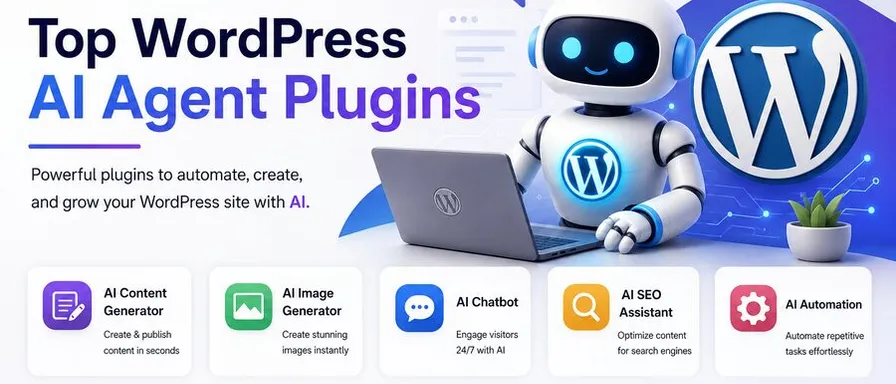
If you’ve been managing a WordPress site for any length of time, you already know the grind — writing content, tweaking SEO, answering support tickets, monitoring site health, and pushing updates. It never really ends. But in 2026, something has genuinely changed: WordPress AI agents have moved from novelty to necessity.
I’ve spent the last few months testing, breaking, and rebuilding AI-powered workflows on WordPress sites — and what I’ve found has honestly surprised me. This isn’t just about AI writing blog posts for you. The new generation of WordPress AI agent plugins can take action on your site — reading your database, fixing your meta descriptions, answering customer questions from your live product catalog, and even publishing content autonomously.
In this post, I’m sharing the best WordPress AI agent plugins you should know about right now, what makes each one worth trying, and who they’re best suited for.
Wait — What Exactly Is a WordPress AI Agent?
Before we dive in, it’s worth making a distinction that most roundups skip.
There’s a big difference between an AI generator and an AI agent:
- An AI generator takes your prompt and spits out text. You still have to copy, paste, edit, and publish it manually.
- An AI agent is connected to your site. It can read your content, check your plugins, edit a post, moderate a comment — and actually do the work, not just suggest it.
The 2026 generation of WordPress AI agent plugins goes even further, thanks to a new open standard called the Model Context Protocol (MCP). Think of MCP like a USB-C port for AI: it lets external AI tools like Claude and ChatGPT plug directly into your WordPress site and take real actions through natural language instructions.
WordPress officially introduced MCP support in early 2026, and several plugins have already built on top of it. That’s the new frontier — and it’s exactly what makes this year’s plugin list different from anything that came before.
1. WSP MCP – AI Agents Connector — The Native MCP Plugin
Best for: Site owners who want to connect Claude or another AI agent to WordPress without extra setup.
This one has become my personal go-to recommendation for anyone asking about WordPress MCP for the first time. WSP MCP – AI Agents Connector turns your WordPress site into a full MCP server — no separate adapter service, no juggling multiple plugins.
You activate it, copy your connection details from the MCP > Connection screen, and you’re done. From there, AI clients like Claude Desktop can read and edit your posts, pages, categories, tags, media, comments, and users. If you have Yoast SEO or Elementor installed, it hooks into those too.
Real user feedback from the WordPress.org plugin page says it best: connect Claude to a document with an image, and it automatically selects the category, sets the SEO title and meta description — all without touching the dashboard. That’s the kind of time-saving that actually changes your workflow.
The built-in native MCP server is the standout feature here. Most competitors require an external adapter or companion plugin. WSP MCP skips all of that.
- Free tier: Available on WordPress.org
- MCP support: Yes (native, no adapter needed)
- Works with: Claude Desktop, MCP Inspector, IDEs, and scripts
2. AI Engine by Jordy Meow — The Developer’s Swiss Army Knife
Best for: Developers and power users who want maximum flexibility.
If you ask any experienced WordPress developer which AI plugin they trust most, there’s a good chance they’ll say AI Engine. It’s one of the most-installed AI plugins on WordPress.org, and for good reason.
AI Engine gives you chatbots, content generation, image creation, embeddings, fine-tuning support, and, crucially, MCP server support, so external AI assistants can connect directly to your site. It works with OpenAI, Anthropic (Claude), Google Gemini, and a long list of other AI providers.
The breadth here is genuinely impressive. If you want to build something custom — a support bot trained on your documentation, an AI content pipeline, an automated SEO layer — AI Engine gives you the building blocks.
The catch: You’ll need to manage your own API keys, which means ongoing costs from whichever AI provider you choose, on top of the plugin’s own price. For non-technical users, the setup can feel complex.
- Free tier: Core features including chatbot and content generation
- Pro: From $49/year
- MCP support: Yes
3. Tidio with Lyro AI — The Customer Support Agent
Best for: eCommerce stores and service businesses that need 24/7 customer support.
Tidio has been a trusted name in WordPress live chat for years, but its Lyro AI Agent is what makes it relevant in 2026. Lyro can handle common customer questions automatically, pulling answers from your site’s content and product catalog — so your support team isn’t up at 2 a.m. answering the same five questions.
The setup is seamless for WordPress and WooCommerce sites. You install the plugin, train Lyro on your FAQs and product pages, and it starts handling conversations. When a question goes beyond Lyro’s knowledge, it escalates smoothly to a human, without the customer noticing the handoff.
If you’re running an online store and you’re not using some form of AI-powered support automation, you’re leaving money and time on the table.
- Free tier: Yes, with limited AI conversations
- Paid plans: Scale with conversation volume
- Best for: WooCommerce and service businesses
4. Rank Math AI — The SEO Agent
Best for: Bloggers and content sites already using Rank Math who want AI built into their existing SEO workflow.
Rank Math added AI content generation to its already-popular SEO plugin back in 2024, and by now it’s a mature, reliable option. The AI suggests titles, meta descriptions, and content outlines based on your focus keyword — directly inside the WordPress post editor, without switching tabs or tools.
It’s not a purpose-built agent in the truest sense — it can’t take autonomous action like publishing or editing without your input — but for content creators who live inside the Rank Math interface, it’s the most frictionless AI integration available.
If you’re already paying for Rank Math Pro, the AI credits are included, making this a zero-additional-cost upgrade to your content process.
- Free tier: Limited AI credits with the free Rank Math plugin
- Pro: From $6.99/month
- Best for: Content-heavy sites already in the Rank Math ecosystem
5. Bit Flows — The Workflow Automation Agent
Best for: Site owners who want to automate multi-step workflows without writing code.
Bit Flows takes a different approach from the other plugins on this list. Rather than focusing on content or chat, it’s an AI-powered workflow automation plugin that connects WordPress to external apps and services and triggers actions based on conditions and data.
Its AI Agent analyzes data and makes decisions within your workflows — so instead of manually moving leads from a contact form into your CRM, or sending a Slack notification every time a WooCommerce order is placed, Bit Flows handles it automatically. You build the rules, the AI executes.
If your WordPress site is the hub of a larger business operation — with email tools, CRMs, project management apps, and social platforms orbiting around it — Bit Flows is worth a serious look.
- Pricing: Tiered plans based on workflow volume
- Best for: Businesses with complex multi-tool workflows
6. Elementor AI — The Design and Content Agent
Best for: Elementor page builder users who want AI woven into their design workflow.
If you build WordPress sites with Elementor, the built-in AI capabilities have become genuinely useful in 2026. Elementor AI generates text, images, custom CSS, and code directly inside the visual editor — tightly integrated with Elementor’s widget system and layout tools.
It also supports MCP, which means you can connect an external AI agent and give it the ability to edit your Elementor-built pages through natural language. That’s a significant step up from just having an “AI write text” button in your sidebar.
The limitation is the same as any builder-specific tool: it’s only valuable if Elementor is already your stack.
- Free tier: Limited AI credits with Elementor Free
- Pro: Bundled with Elementor Pro plans
- MCP support: Yes
What About the Official WordPress MCP Adapter?
Worth mentioning separately: WordPress officially introduced its MCP Adapter in early 2026 as part of its AI Building Blocks initiative. It works alongside the Abilities API (introduced in WordPress 6.9) to expose your site’s capabilities as MCP tools that any compatible AI agent can discover and call.
If you’re on WordPress.com, MCP is available with Personal, Premium, Business, and Commerce plans — and you can connect Claude or ChatGPT directly through your browser with no extra plugins. For self-hosted WordPress, you install an MCP adapter plugin and your site becomes an MCP server.
This is the infrastructure layer that all of the above plugins are increasingly building on. Understanding it helps you make smarter choices about which plugins to layer on top.
How to Choose the Right WordPress AI Agent Plugin
Here’s my honest framework after testing all of these:
If you want to connect an external AI agent (like Claude) to your WordPress site: Start with WSP MCP – AI Agents Connector. It’s the most straightforward path to MCP with no extra setup.
If you’re a developer who wants to build custom AI workflows: AI Engine gives you the most flexibility and the widest provider support.
If customer support is your biggest pain point: Tidio with Lyro AI handles that better than anything else on this list.
If you’re focused on content and SEO: Rank Math AI is the path of least resistance if you’re already in that ecosystem.
If you want to automate business workflows across apps: Bit Flows is the right tool.
If you build in Elementor: Elementor AI is already where you work.
The biggest mistake I see people make is installing every AI plugin they find and wondering why their site is slow and chaotic. Pick one agent-level tool and one task-specific tool (SEO, support, or workflow), and master those before adding more.
Final Thoughts
WordPress AI agents in 2026 are genuinely different from the chatbots and content spinners of a few years ago. The shift from generating text to taking action — enabled by MCP and the new Abilities API — means your WordPress site can now be a real participant in your AI workflows, not just a destination you paste things into.
The plugins in this list represent the best of what’s available right now. Some are free, some require investment, and all of them are worth understanding even if you don’t end up using every one.
If you want to go deeper on WordPress MCP specifically — how to set it up, what it can do, and how to get started for free — head over to Free WordPress MCP. That’s exactly what we focus on.
Ready to Connect Your AI Agent to WordPress?
Free forever. No account, no API key, no usage limits.
Download the plugin and be connected in about three minutes.