- Tutorials
Getting Started with Claude AI for WordPress Users
Discover how Claude AI works with WordPress using Free WordPress MCP. Automate tasks, manage content, and boost your workflow with AI.

WebSensePro
Developer
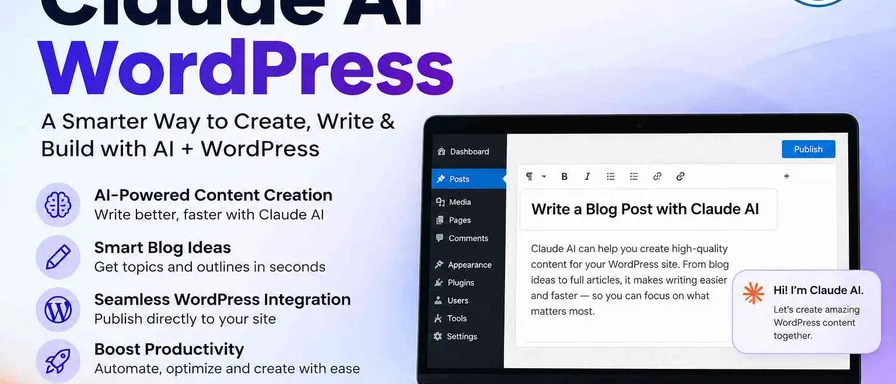
If you’ve been searching for a smarter way to manage your WordPress content, Claude AI might be exactly what you’ve been missing. From drafting full blog posts to writing meta descriptions, generating FAQ sections, and even replying to reader emails — it handles the time-consuming writing tasks that eat up your day.
What makes it different from other AI tools is how naturally it fits into your existing workflow. It doesn’t force a generic tone on your content. Instead, it reads your style, follows your voice, and produces output that actually sounds like you — not a robot trying to imitate you.
Whether you run a niche personal blog or a busy business website, Claude AI adapts to what you need, when you need it.
Why WordPress Users Should Care
WordPress powers over 40% of the internet, but managing a content-heavy site is still a lot of manual work. Claude AI can step in to help you:
- Write and edit blog content faster without sacrificing quality
- Generate SEO-friendly titles, meta descriptions, and headings on demand
- Brainstorm content ideas based on your niche and audience
- Repurpose existing posts into social media captions or email newsletters
- Draft FAQ sections and product descriptions for WooCommerce stores
Whether you run a personal blog, a business site, or an online store, Claude can save you hours every single week.
Getting Started: Your First Steps
1. Create a Claude Account
Head over to claude.ai and sign up for a free account. You can start using Claude right away with no technical setup required. There’s also a Pro plan if you want faster responses and access to Claude’s most powerful models.
2. Learn to Write Good Prompts
The key to getting great results from Claude is being specific about what you want. Instead of typing “write a blog post,” try something like:
“Write an 800-word personal blog post about the benefits of using AI for small business WordPress sites. Keep the tone friendly and practical. Include a short intro, three main points, and a call to action at the end.”
The more context you give, the better Claude performs. Think of it as briefing a talented freelance writer — the clearer your brief, the better the output.
3. Connect Claude to Your WordPress Workflow
This is where things get really exciting. Tools like Free WordPress MCP are building the bridge between Claude AI and WordPress directly. MCP stands for Model Context Protocol — it’s a way for AI models like Claude to interact with external tools and platforms, including your WordPress site.
With a WordPress MCP integration, Claude doesn’t just generate content in a chat window — it can actually work within your WordPress environment, helping you manage posts, drafts, and more without jumping between tabs.
Practical Ways to Use Claude AI with WordPress
Here are a few real-world use cases to get you thinking:
Content Creation: Give Claude your target keyword and ask it to write a full draft. Then review, tweak, and publish. What used to take three hours can be done in thirty minutes.
SEO Optimization: Paste in an existing post and ask Claude to suggest improvements for readability, keyword density, and metadata. It’s like having an SEO consultant on call 24/7.
Comment Moderation Replies: Copy a reader comment and ask Claude to draft a friendly, on-brand reply. Great for community building without the time drain.
Pillar Content Planning: Ask Claude to build out a content calendar or topic cluster based on your niche. It’ll map out ideas you probably hadn’t even thought of.
A Few Tips for Best Results
- Always review AI output before publishing. Claude is powerful, but your personal voice and fact-checking matter.
- Use it iteratively. Start with a draft, then ask Claude to refine it. You can go back and forth until it sounds exactly right.
- Save your best prompts. When you find a prompt that produces great results, keep it in a notes doc so you can reuse it.
Final Thoughts
Getting started with Claude AI for WordPress doesn’t require any technical skills or a big budget. It just takes a little curiosity and a willingness to experiment. Once you build it into your workflow, you’ll wonder how you ever managed without it.
If you want to take things even further and connect Claude directly to your WordPress site, check out Free WordPress MCP. It’s one of the easiest ways to unlock the full potential of Claude AI WordPress integration — and it’s completely free to get started.
Your WordPress site deserves smarter tools. Claude AI might just be the one you’ve been waiting for.
Ready to Connect Your AI Agent to WordPress?
Free forever. No account, no API key, no usage limits.
Download the plugin and be connected in about three minutes.