- Guides
Top MCP Use Cases for AI Agents and Assistants
See how MCP lets AI agents publish content, fix SEO, run stores and automate workflows, plus how to set it up for free in minutes with WSP MCP.

WebSensePro
Developer
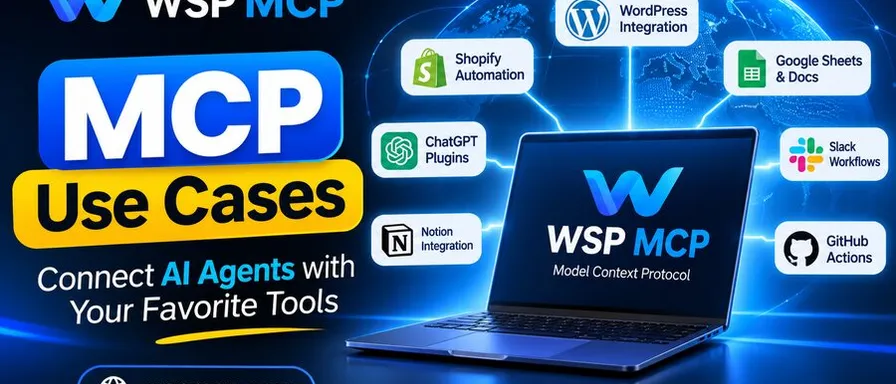
AI assistants became smart quickly. What held them back was reach: they could write a great blog post, but they couldn’t publish it. They could suggest a bug fix, but they couldn’t open the file. The Model Context Protocol (MCP) closes that gap, and the best MCP use cases are the ones where an AI stops advising and starts doing.
In this post, we will walk through the top MCP use cases for AI agents and assistants in 2026, with real examples you can try today. Whether you run a WordPress site, manage a dev team, or just want your AI to handle more of the busywork, there’s something here for you.
What is MCP, in plain words?
MCP is an open standard that lets AI clients such as Claude, Cursor, Codex and Google Antigravity connect to outside tools and data. Think of it as a universal plug. A tool builds one MCP server, and every MCP-compatible AI can use it, with no custom integration per assistant.
An MCP server exposes “tools” (actions the AI can take) and “resources” (data the AI can read). The AI decides when to call them, based on what you ask. You remain in control of which tools are enabled.
Why use cases matter more than the protocol
Most people don’t care how a plug works. They care what they can power with it. That’s why understanding MCP use cases is the fastest way to see whether MCP is worth your time. The short answer: if you repeat a task across the same apps every week, there’s probably an MCP use case waiting for you.
The top MCP use cases for AI agents and assistants
1. Website and content management
This is one of the most practical MCP use cases today. Instead of copying AI-written text into your CMS, the agent works on your site directly.
With WSP MCP, a free, open-source MCP plugin for WordPress, you can ask Claude, Cursor or Codex to:
- Draft a new blog post, assign the category and tags, and save it as a draft
- Update an old page with new pricing or contact details
- Upload media and set featured images
- Manage menus, widgets and custom post types
A prompt as simple as “Draft a blog post about our new pricing” becomes a real draft in your dashboard, ready for review. No copy-paste, no switching tabs.
2. SEO audits and on-page fixes
SEO work is repetitive, which makes it perfect for an AI agent. Over MCP, an assistant can read every page’s title, meta description and image alt text, spot gaps, and fix them.
WSP MCP auto-detects Yoast SEO and Rank Math, so the agent can edit SEO fields that those plugins manage. Try: “Improve the SEO on my About page,” or “Find posts with missing meta descriptions and write them.” What used to take an afternoon takes a few minutes.
3. Bulk find-and-replace across a site
Changed your phone number, brand name or office address? An MCP-connected agent can scan every post and page, show you each match with a preview, and update them once you confirm. No SQL queries or search-and-replace plugins are needed.
4. E-commerce store operations
Online stores generate endless small tasks: product descriptions, stock checks, order lookups, coupon setup. With MCP, an assistant can handle many of them through plain-English requests.
For WooCommerce stores, WSP MCP adds store-management abilities automatically. You could ask an agent to rewrite thin product descriptions, list low-stock items, or summarise this week’s orders.
5. Coding and developer workflows
Developers were early MCP adopters, and for good reason. AI coding tools like Claude Code and Cursor use MCP servers to reach GitHub, databases, issue trackers and documentation.
Common developer MCP use cases include:
- Reading an issue, writing the fix, and opening a pull request
- Querying a database to debug a production problem
- Pulling the latest API docs so the agent writes current code
- Editing theme files or block templates on a WordPress staging site
6. Data analysis and reporting
MCP lets an assistant query live data instead of working from an outdated export. Connect it to a database, analytics tool or spreadsheet, and ask questions in plain language: “Which pages got the most traffic last month?” or “Compare signups this quarter with last quarter.”
The agent fetches the numbers, runs the math, and explains what it found.
7. Customer support and form handling
Support teams spend hours triaging messages. An MCP-connected assistant can read form submissions, tag them, draft replies and flag urgent ones.
WSP MCP detects Gravity Forms, Contact Form 7 and WPForms, so an AI can read form setups and help you manage them without logging into each plugin.
8. Personal productivity: email, calendar and docs
MCP isn’t only for businesses. Personal assistants use it to connect to email, calendars, note apps and file storage. Typical tasks:
- “Summarise unread emails from this week and draft replies”
- “Find a free hour with Sara next week and send an invite”
- “Turn my meeting notes into a task list”
9. Site health and performance checks
Ask an agent, “What’s slowing down my homepage?” and, over MCP, it can inventory active plugins, large images and heavy embeds, then suggest specific fixes. With write access enabled, it can apply them one at a time while you watch.
10. Multi-tool automation
The most powerful MCP use cases combine several servers. Because every server speaks the same protocol, one agent can chain them together. For example:
- Read a product brief from Google Drive
- Write a launch post and publish it on WordPress
- Post the link to your team’s Slack channel
- Log the task as done in your project tracker
That’s a full workflow, run from one prompt.
How to get started with your first MCP use case
You don’t need to be a developer to try MCP. If you run WordPress, the quickest path is WSP MCP, which takes about three minutes to set up:
- Download the free plugin from WordPress.org or GitHub.
- Upload and activate it under Plugins → Add New.
- Open MCP → Connection and pick your AI client in the Configuration Generator. Claude connects with just your site URL through OAuth; Cursor has a one-click connector.
- Ask a simple first question, such as “List my five most recent posts.” A correct answer means you’re connected.
Step-by-step video guides are available for Claude, Cursor, Codex and Google Antigravity.
Best practices for safe MCP use
Giving an AI real access to real systems calls for some care. Follow these habits:
- Start read-only: Let the agent read and report before you enable write actions. In WSP MCP, write abilities are off by default.
- Turn on only what you need: WSP MCP has 250+ abilities, each with its own on/off switch. Enable only the few your use case requires.
- Use a limited user: The AI can never do more than the WordPress user it acts as, so create a role with only the permissions it needs.
- Test on staging first: Try new workflows on a copy of your site before touching production.
- Check the audit log: WSP MCP records every tool call, with time, user, IP and outcome, in your own database.
- Review before publishing: Have the agent save drafts, then give them a human read.
Final thoughts
The best MCP use cases share one trait: they turn your AI from a writer of suggestions into a doer of tasks. Content publishing, SEO fixes, store operations, coding and multi-tool automation are where most teams see results first.
Select one repetitive task you do every week, connect the appropriate MCP server, and allow your assistant to take it on. If your site runs on WordPress, WSP MCP is a free, MIT-licensed way to start today, with no API key and no usage limits.
Frequently Asked Questions
What are the most common MCP use cases?
Content management, SEO, coding workflows, data analysis, customer support, e-commerce operations and personal productivity are the most common today.
Which AI assistants support MCP?
Claude, Claude Code, Cursor, Codex, Google Antigravity, OpenClaw and OpenCode all support MCP, among others.
Do I need coding skills to use MCP?
No. Plugins like WSP MCP install like any WordPress plugin and generate the connection settings for you.
Is it safe to let an AI agent edit my website?
It can be, with the right controls. Use per-ability permissions, a limited user role, an audit log and a staging site, and review changes before they go live.
Is WSP MCP free?
Yes. It’s open source under the MIT license, with no paid tier or premium upsell.
Ready to Connect Your AI Agent to WordPress?
Free forever. No account, no API key, no usage limits.
Download the plugin and be connected in about three minutes.